Volz Servos
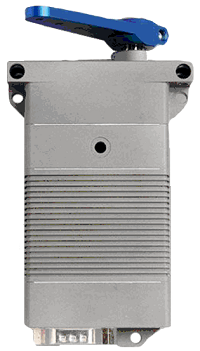
Volz servos are high-end servos which can be controlled with a normal PWM signal or using a custom RS-422 serial protocol. This page describes the setup when using the serial protocol
Warning
This wiki page is a work-in-progress and has not been verified to be correct. Support for this peripheral may not be included in standard firmware releases. If needed, use the custom firmware server to create a firmware that does.
Where To Buy
Various online retailers sell these servos or you can contact Volz directly. Check the datasheet of the servo to confirm it has the RS-422 serial interface
Connection and Configuration
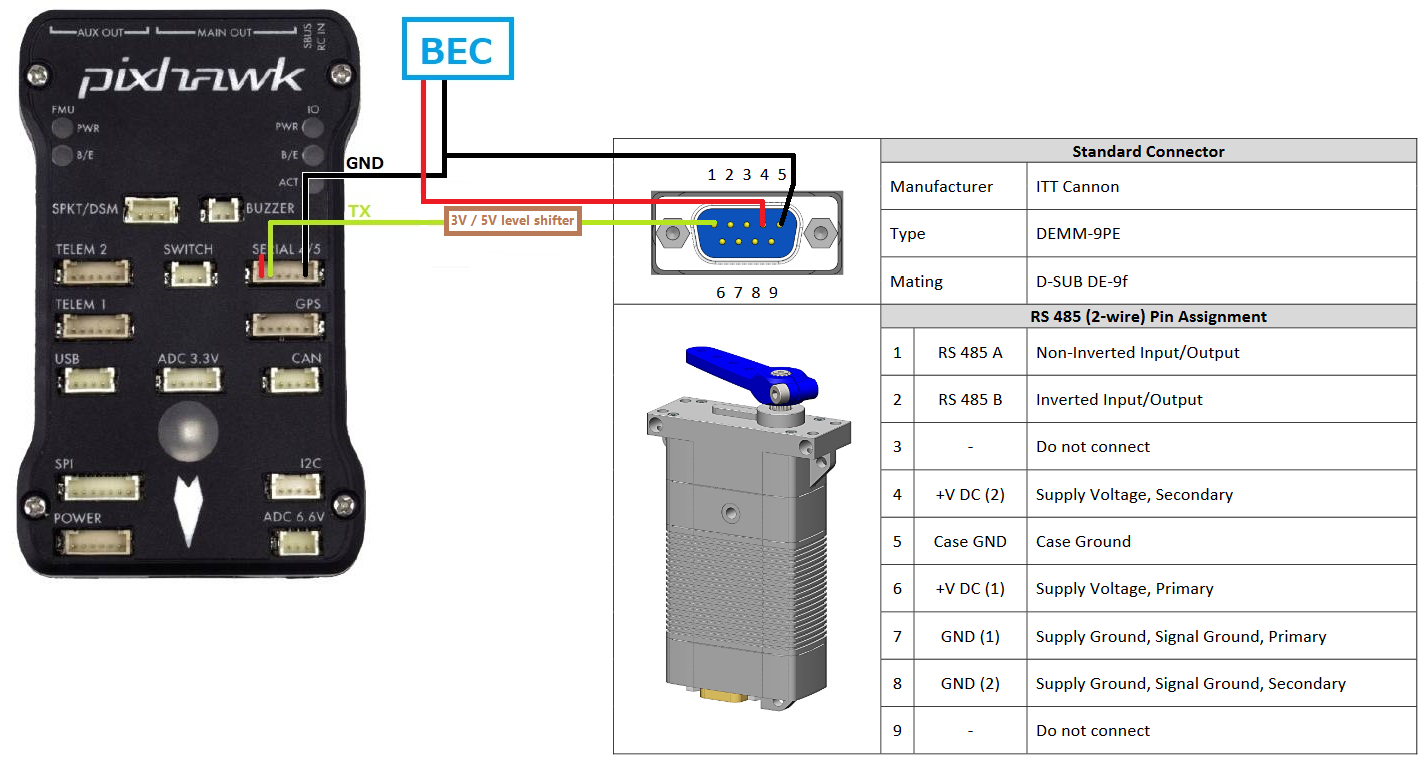
image courtesy of the Volz DA-26 servo datasheet
Use a BEC to provide power to the servo as shown above
Connect the servo’s TTL pin to a 5V-to-3V level shifter and then to one of the autopilot’s serial port’s TX pins. The diagram above shows the servo connected to a Pixhawk’s Serial4 port but other serial ports can also be used
Set SERIAL4_PROTOCOL = 14 (Volz) assuming Serial4 is being used
Note
SERVOn_MIN and SERVOn_MAX corresponding to your Volz servo output channels should be adjusted to specify the 1000-2000 range to obtain full output range of the servo.