Yahboom Balance Bot
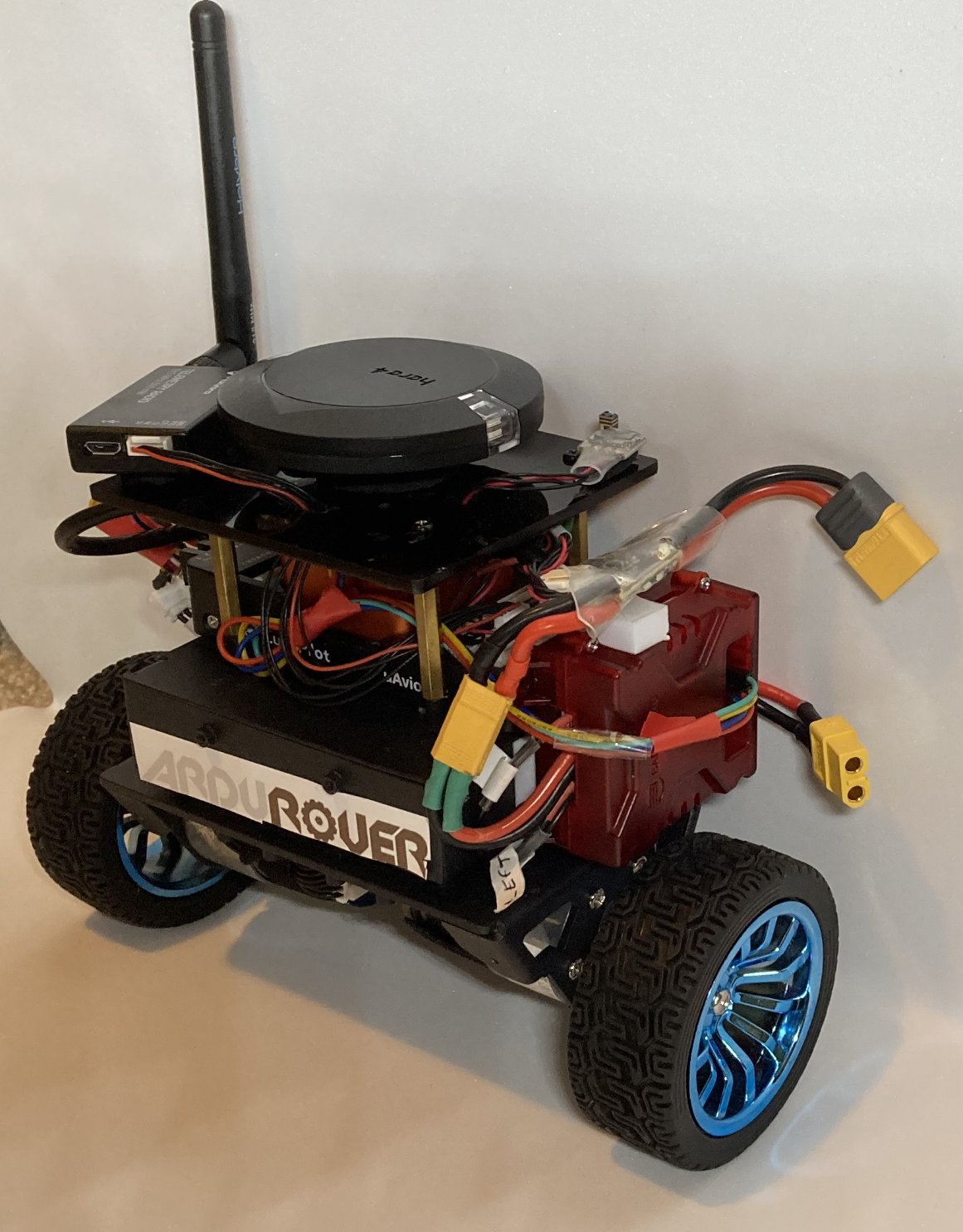
This build is based on the Yahboom Balance Bot chassis.
The chassis comes with motors, wheel encoders and just enough room to fit a flight controller and a motor driver.
A complete build log is available on the ArduPilot forum here: Yahboom Balance Bot Build Log
Parts List
Flight Controller + GPS. The flight controller must have 6x outputs - 2 for motor control and 4 for wheel encoders.
3S (12V) Battery. An 18650 battery holder fits well in the chassis.
RC receiver
Connection and Setup
Setup the Roboclaw motor driver:
Download and install the BasicMicro Motion Studio software
Connect the Roboclaw motor driver to your (Windows) PC with a USB cable. Note a mandatory firmware update is required and requires a Windows (not a VM) PC.
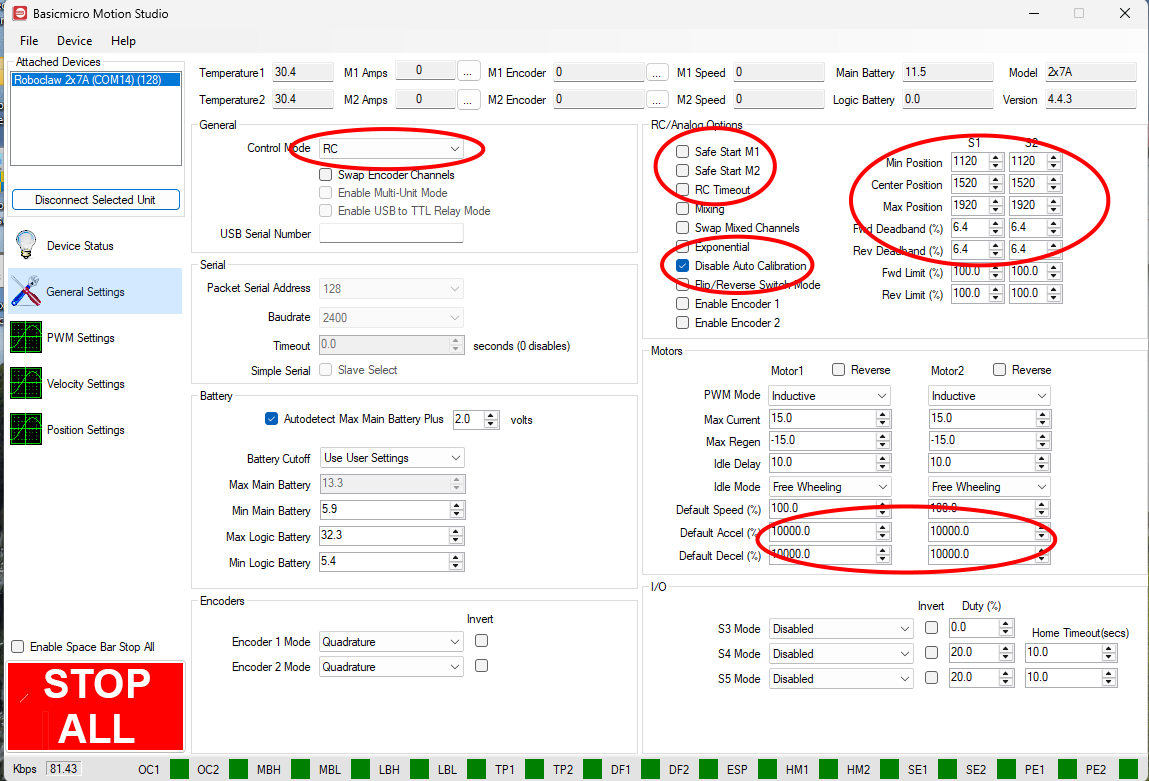
Connect with BasicMicro Motion Studio then on the General Settings page. Set Control Mode = RC, disable Safe Start, Disable Auto Calibration.
From the File menu, “Save Setting”
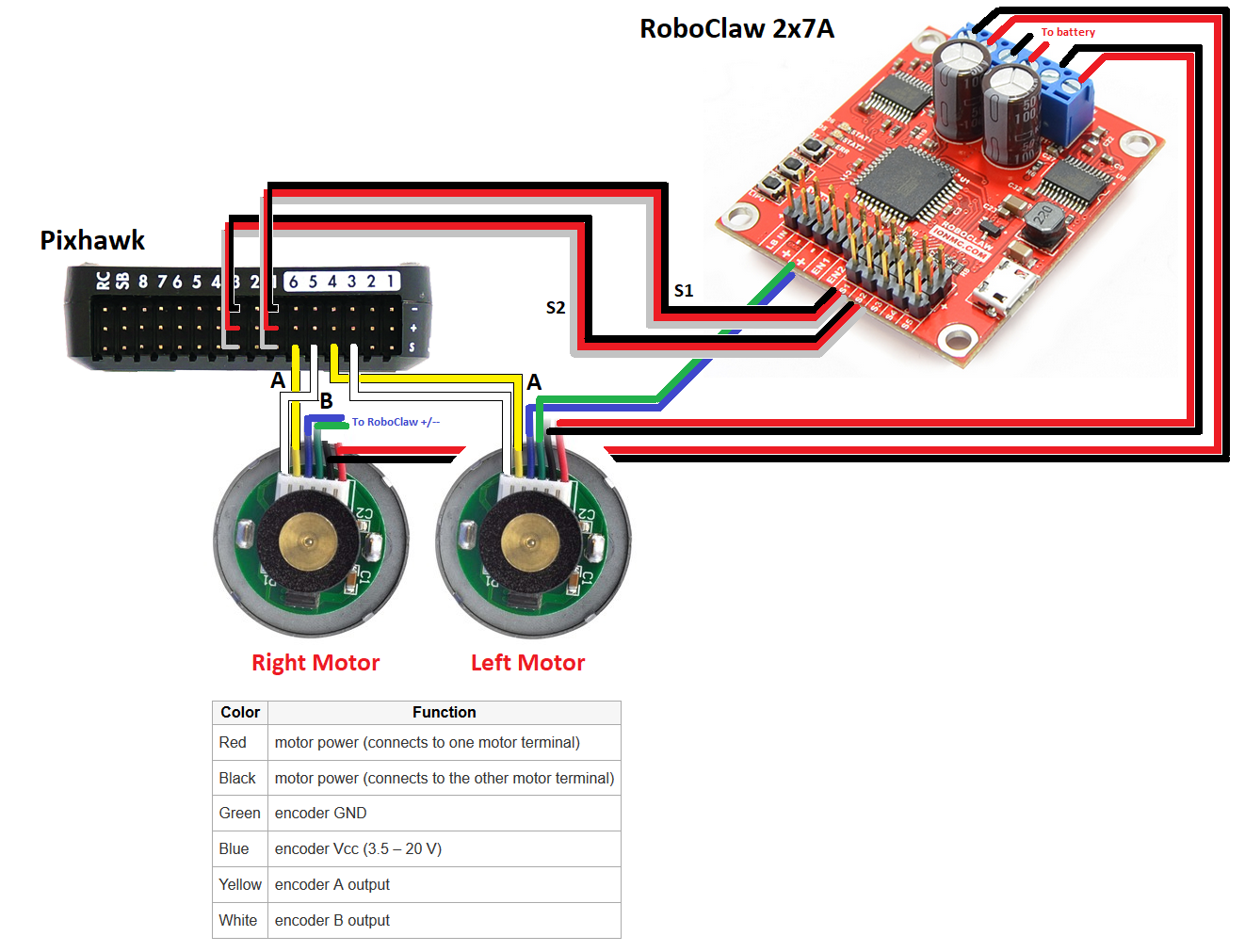
Connect the yellow and white wires from the wheel encoders to the AUX OUT 3,4,5,6 pins as described on the wheel encoder wiki page
Connect the autopilot, motor driver and motors as shown below
Driving
The vehicle is stable up to 0.6m/s, but 0.5m/s is recommended for AUTO and GUIDED modes.
When driving up or down slopes, the vehicle is stable for slopes up to 12 degrees. Beyond that, the vehicle may tip over.
Parameters
Firmware used: Rover-4.7.0
Parameter file: Yahboom BalanceBot