CORVON CV08 / CV50 Lidar
The CORVON CV08 and CORVON CV50 are dToF lidar sensors with ranges of 8m and 50m respectively. Both communicate with the autopilot over UART using MAVLink.
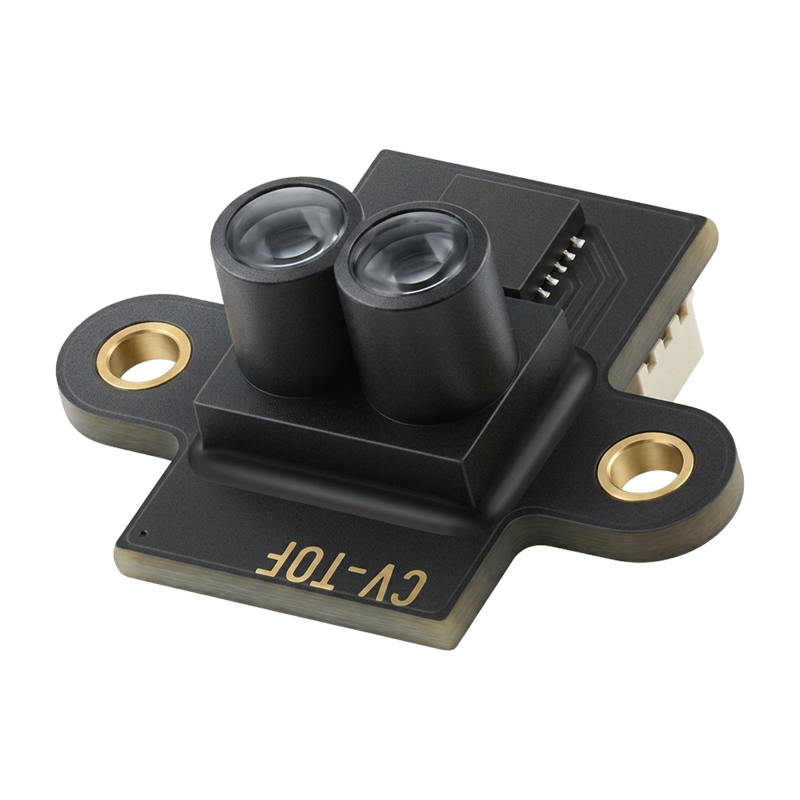
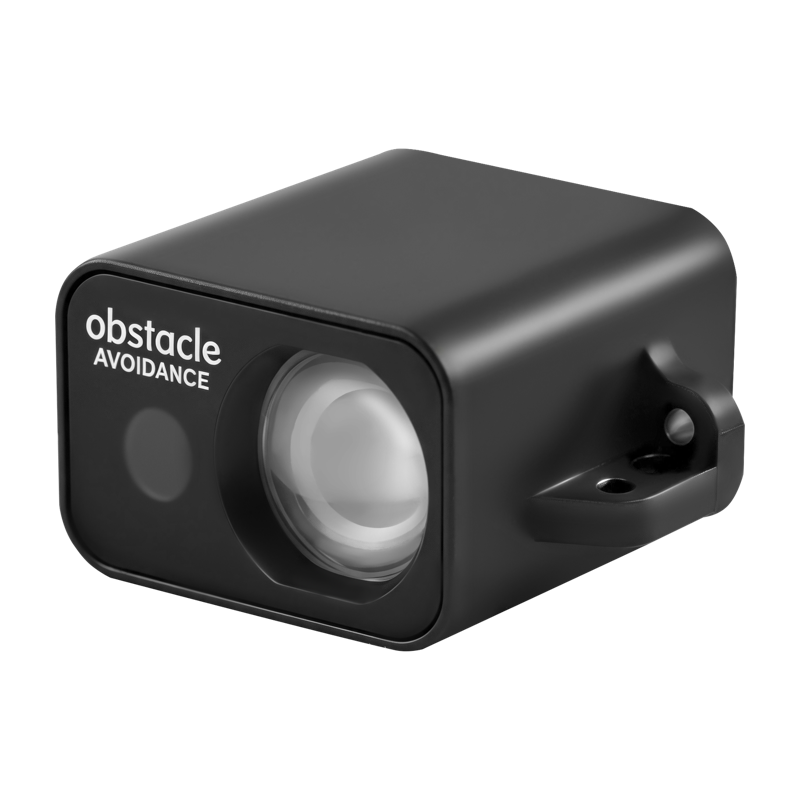
Specifications
CV08 |
CV50 |
|
|---|---|---|
Range |
2cm to 8m |
5cm to 50m |
Field of view |
less than 3 degrees |
less than 2 degrees |
Accuracy |
+/-3cm below 1m, +/-3% at 1m and above |
+/-3cm below 2m, +/-2% at 2m and above |
Update rate |
up to 50Hz |
up to 100Hz |
Supply voltage |
3.5V to 5.5V, 20mA maximum at 5V |
3.5V to 5.5V, 60mA maximum at 5V |
Size |
13.0 x 16.0 x 9.25mm |
28.5 x 13.6 x 21.4mm |
Weight |
0.6g |
6.8g |
See the CV08 datasheet and CV50 datasheet for full details.
Where to Buy
The sensors are available from CORVON.
Sensor Setup
Connect the sensor to a PC using an FTDI adapter (USB to serial)
Open the CORVON TOF Tool in Chrome or Edge and select the adapter’s serial port
Set the protocol to “MAVLink (APM)” and the mounting orientation to match how the sensor will be mounted on the vehicle
Save the settings to the sensor
Note
Use an output rate of at least 10Hz to allow margin for the autopilot’s 500ms rangefinder timeout.
Connection to Autopilot
Connect the sensor to any spare serial port on the autopilot. The sensor’s TX goes to the autopilot’s RX and the sensor’s RX to the autopilot’s TX.
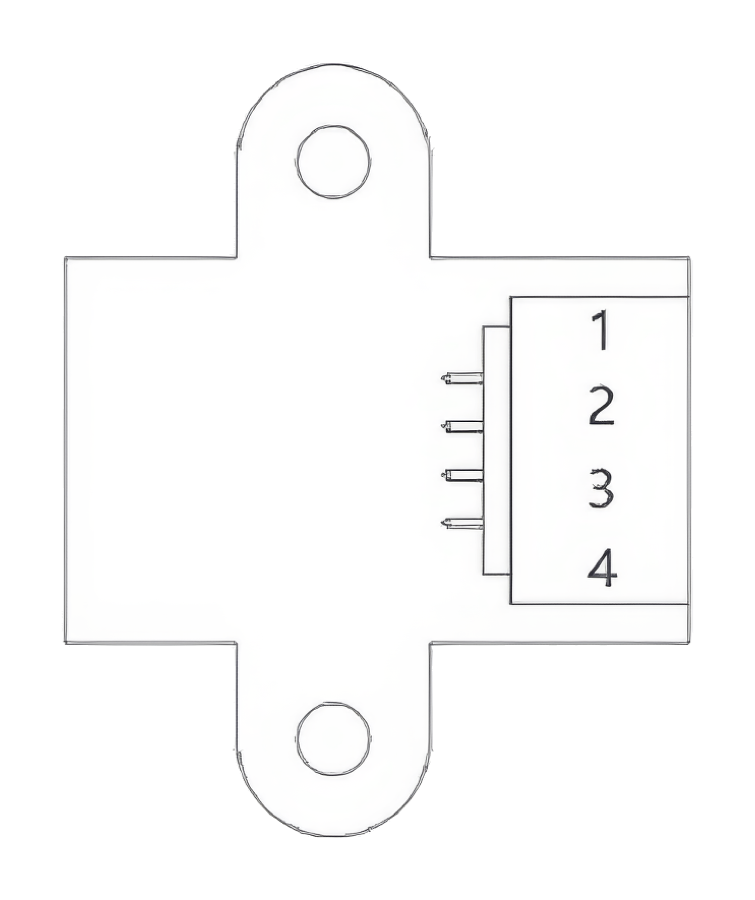
CV08:
Pin 1: TX
Pin 2: RX
Pin 3: VCC (5V)
Pin 4: GND
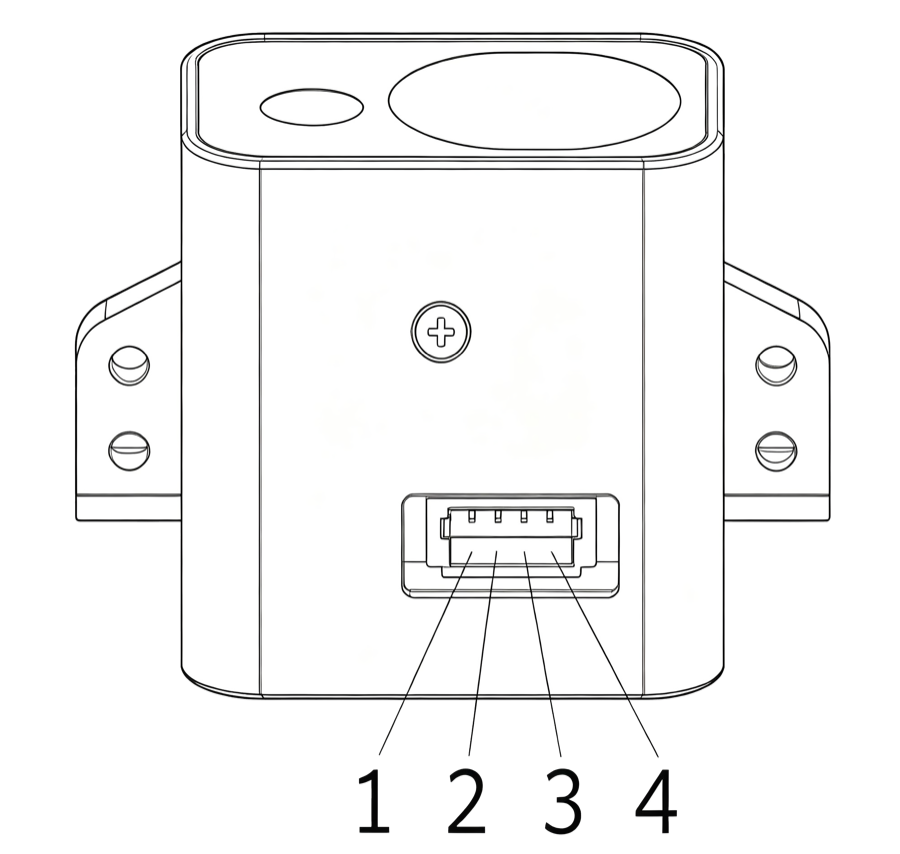
CV50:
Pin 1: GND
Pin 2: VCC (5V)
Pin 3: RX
Pin 4: TX
Parameters
These settings assume a connection to Serial2. For another port, change the SERIAL2_ parameters to match.
Set SERIAL2_BAUD = 115
Set SERIAL2_PROTOCOL = 1 (MAVLink1)
Set RNGFND1_TYPE = 10 (MAVLink)
Reboot the autopilot to see the rangefinder parameters
Set RNGFND1_MAX = 8 for the CV08 or 50 for the CV50
Set RNGFND1_MIN = 0.02 for the CV08 or 0.05 for the CV50
Set RNGFND1_ORIENT = 25 (Downward) or 0 (Forward), matching the orientation saved with the CORVON TOF Tool. Distance messages with a different orientation are ignored
Set bit 1 (value 2) of the
MAVx_OPTIONSof the sensor’s MAVLink channel (Don’t forward mavlink to/from) to keep its messages off the telemetry link. See MAVLink configuration for how the channels are numberedReboot the autopilot again to apply the MAVLink forwarding setting
Note
On 4.6 and earlier the forwarding option is bit 10 of SERIAL2_OPTIONS (value 1024) instead. Do not set that bit on 4.7 or later; it fails a pre-arm check.
Testing the sensor
Distances read by the sensor can be seen in the Mission Planner’s Flight Data screen’s Status tab. Look for “rangefinder1”.