SkyRelay Conduit
Overview
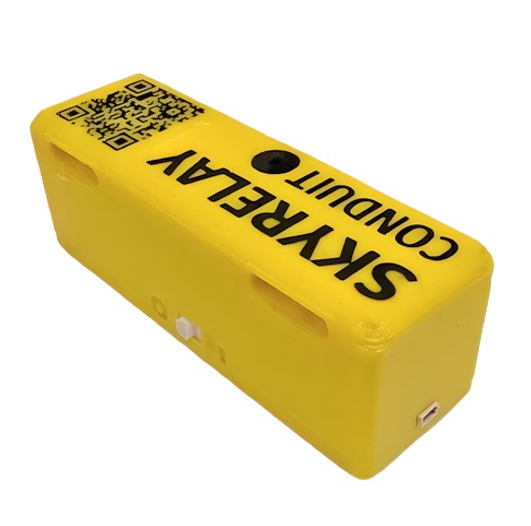
SkyRelay Conduit is a compact, plug‑and‑fly device that integrates the LilyGo T‑SIM7600NA with SkyRelay’s firmware to connect a flight controller to cloud operations and expose MAVLink telemetry and commands over LTE.
Features
LTE MAVLink Telemetry — real‑time flight data over 4G LTE.
MAVLink TCP Relay — remote access via Mission Planner, QGroundControl, MAVProxy.
Bluetooth GCS Link — local MAVLink link without radio or LTE.
MQTT Cloud Streaming — live telemetry to the SkyRelay dashboard.
Remote ID Scanner — detects nearby ASTM F3411‑22a broadcasts.
SOS / Lost‑Drone Tools — buzzer alerts and QR‑code recovery.
OTA Firmware Updates — update over LTE or Webserial.
Data Saver Mode — reduced cellular bandwidth usage.
Automated Log Backups — Remote ID, UAV logs, and ArduPilot PARAM snapshots.
Network RTK Support — NTRIP corrections for high‑precision positioning.
RPIC SkyAssist — voice-enabled prompts to enhance situational awareness.
Supported Autopilots
- ArduPilot
Copter
Plane
Rover
Technical Specifications
Spec
SkyRelay Conduit
Processor
ESP32-WROVER-E — dual-core 240 MHz, 4 MB flash, 8 MB PSRAM
Cellular
SIM7600NA (LTE Cat-1, 10/5 Mbps)
Bands
B2/B4/B5/B12/B13/B14/B25/B66/B71
Carriers
AT&T, T-Mobile, Verizon (US); Bell, Rogers, Telus, Videotron (Canada); Hologram global access
GPS
Integrated GNSS (GPS + GLONASS), ±2.5m CEP
Bluetooth
BLE 4.2
Battery
18650 LiPo, 8-12 hours standby
Buzzer
Active piezo
MAVLink
MAVLink2 via UART
Interface cable
4-pin JST SH1.0, 20 cm
Case
3D-printed enclosure with custom QR code
Dimensions
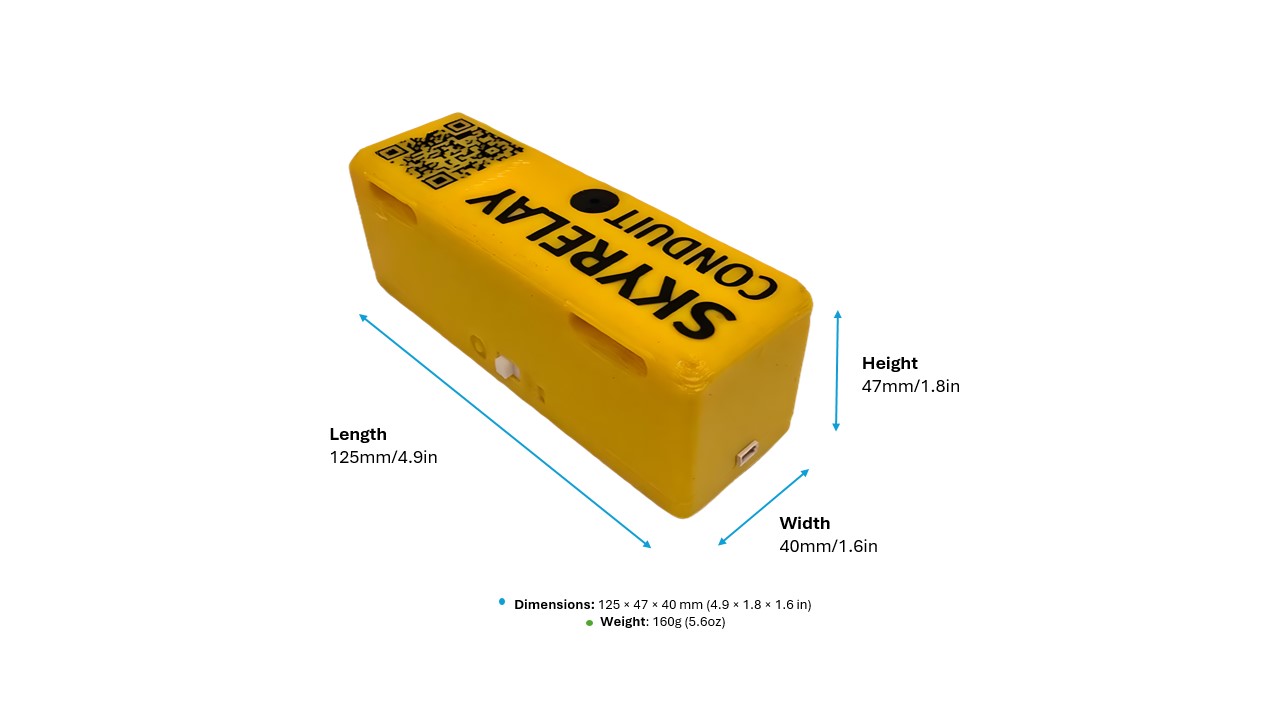
125 × 40 × 47 mm (4.9 × 1.6 × 1.9 in)
Weight
160 g (5.6 oz)
Pinout
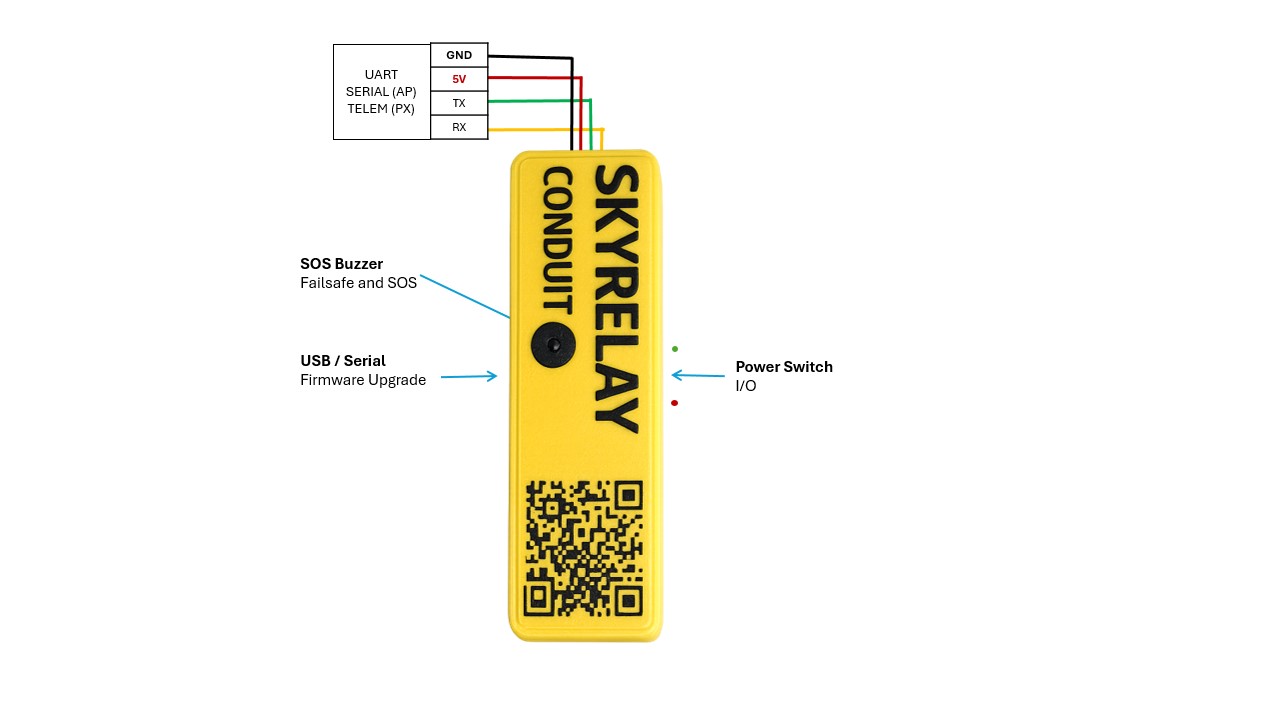
The K01 Conduit crosses RX and TX internally. To connect it to an ArduPilot flight controller, follow these steps:
Step 1: Match the Cable to Your Flight Controller
The 4-pin UART-to-FC cable must match your FC’s telemetry port pinout. Order the pins in the connector as shown in wiring diagram:
Power and ground go to their counterparts
Conduit RX → FC RX
Conduit TX → FC TX
Step 2: Configure TELEM Settings
The Conduit communicates with the flight controller over MAVLink serial at 115200 baud. Set the parameters as follows:
where x represents the serial port
SERIALx_PROTOCOL= 2
SERIALx_BAUD= 115
To play SOS alert tones through the motors, enable the DShot option in NTF_BUZZ_TYPES for compatible DShot ESCs.
Step 3: Plug In and Mount
Plug the cable into the FC telemetry port and mount the Conduit on the airframe with the straps.
Step 4: Power On
Turn the power switch ON:
· · · · · · (HI) — buzzer confirms firmware is running
Bluetooth becomes available for a local GCS connection
Cellular modem connects to LTE
Cloud connected — — · — (K) confirms telemetry is streaming
Building Your Own (K02)
SkyRelay Conduit is also available as a bring-your-own-device path based on the LilyGo T-SIM7600NA platform. This option is suited to users who want to assemble the hardware themselves while still using the SkyRelay firmware and service flow.
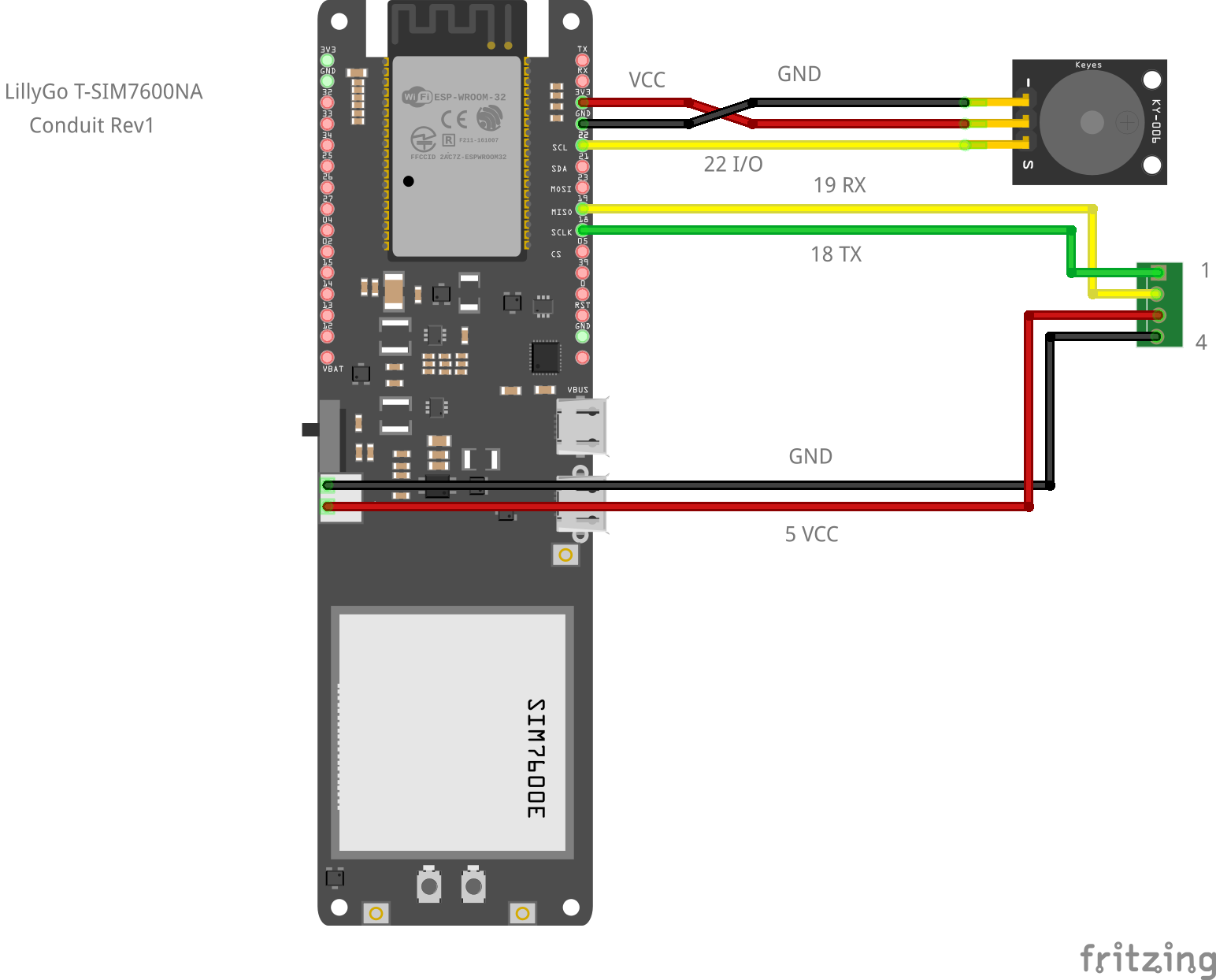
For BYOD instructions, see SKYRELAY Conduit manual
Videos
Activation and how it works:
SKYRELAY Conduit Wiring to Drone:
SKYRELAY features and how to connect over LTE MAVLink and GCS