AVT CM41/CM62 3-Axis Gimbal/Cameras
AVT CM41/CM62 3-Axis Gimbal/Cameras can communicate with the autopilot using the MAVLink Gimbal V2 protocol and are compatible with a range of cameras for real-time video or mapping purposes, and on-gimbal automated object recognition.
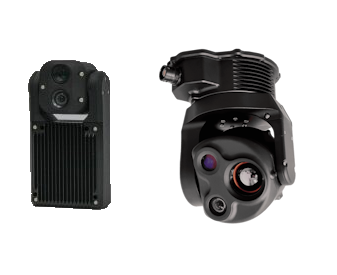
Where to Buy
These gimbals can be purchased from the AVT Australia store
Connecting to the Autopilot
Connect the gimbals’s COM2 port to one of the autopilot’s Serial/Telemetry ports .
Connect to the autopilot with a ground station and set the following parameters, if using the first mount:
set MNT1_TYPE to “6” for “MAVLink”
set CAM1_TYPE to “6” (MAVLink) and reboot the autopilot
set SERIAL2_BAUD to “115” for 115200 bps. “SERIAL2” can be replaced with any other serial port
SERIAL2_PROTOCOL to 2 for “MAVLink2”
SERIAL2_OPTIONS to 1024 for “Don’t forward mavlink to/from”
See the “Control with an RC transmitter” section of this page for details on parameter changes required to control the gimbal through an RC Transmitter (aka “RC Targeting”)
Control and Testing
See Gimbal / Mount Controls for details on how to control the gimbal using RC, GCS or Auto mode mission commands
Pilot Control
To control the gimbal’s lean angles from a transmitter set the RC controls for roll, pitch, or yaw using RCx_OPTION 212 (Mount1 Roll), 213 (Mount1 Pitch), 214 (Mount1 Yaw) for the first mount,.